영상·음성2026년 9월 3일· 10분 읽기
사진 1장으로 우리만의 애니메이션 만들기
두 사람이 함께 나온 사진을 힉스필드 Seedance 2.5에 올리고 프롬프트를 붙여 3D 애니메이션 등 3가지 스타일 영상으로 만드는 순서예요.
사진 한 장만 있으면 됩니다. 코딩도 프로그램 설치도 필요 없고, 홈페이지에서 사진 올리고 아래 글자를 복사해서 붙여넣기만 하면 됩니다. 처음 해보셔도 5분이면 끝납니다.
1단계. 사진 고르기
핸드폰 앨범에서 둘이 같이 나온 사진을 한 장 고르세요.
이런 사진이 잘 나옵니다.
얼굴이 크게, 잘리지 않고 나온 사진
밝은 곳에서 찍은 사진
두 사람이 카메라를 보고 있는 사진
이런 사진은 피하세요.
뒷모습이거나 멀리서 찍어 얼굴이 작은 사진
너무 어둡거나 흔들린 사진
얼굴이 반쯤 가려진 사진
2단계. 사이트 들어가기
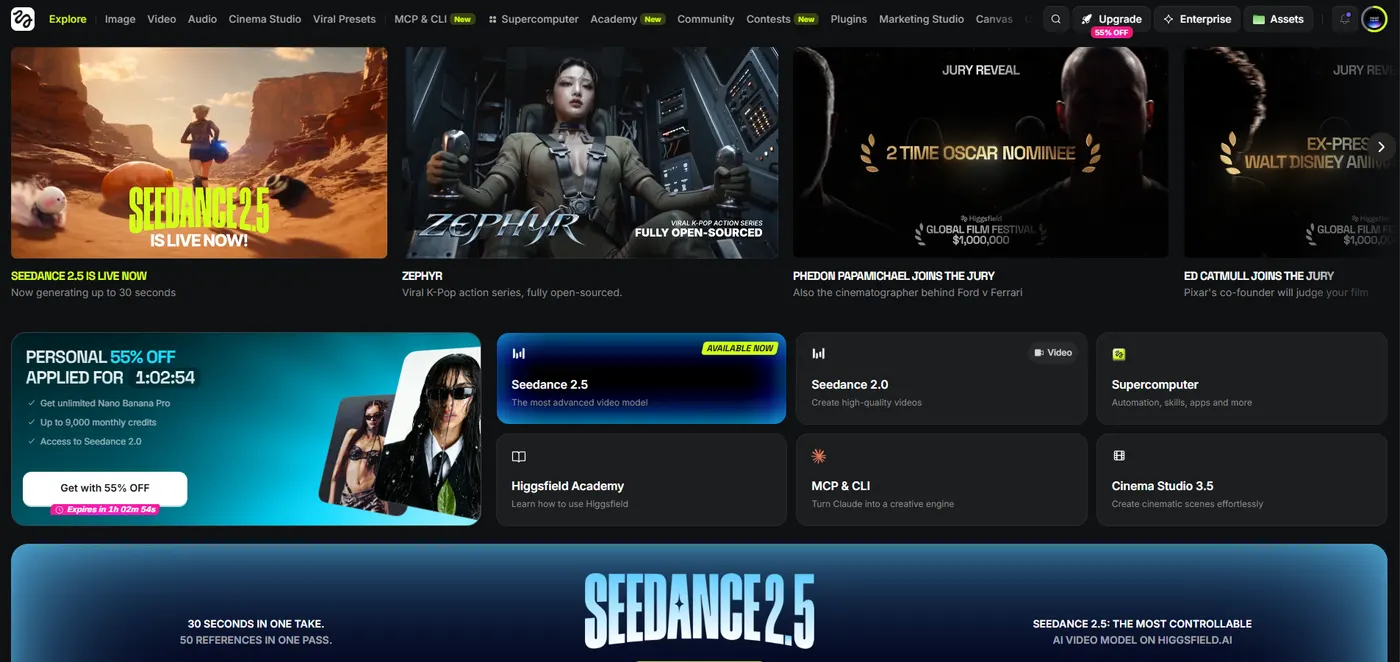
여기를 눌러서 접속하셔야 무제한 생성 혜택 받으실 수 있어요.
1️⃣ 위 버튼을 눌러 힉스필드에 접속합니다
2️⃣ 가입하신 뒤 아무 요금제나 구독을 진행하면 30일 무제한 생성이 가능합니다.
화면이 영어로 나온다면 당황하지 말고 컴퓨터 크롬 브라우저라면 화면 아무 곳이나 마우스 오른쪽 버튼을 누르고 "한국어로 번역"을 고르면 전부 한글로 바뀝니다.
3단계. 영상 만드는 화면 열기
위쪽 메뉴에서 영상 만들기(Video) 를 누릅니다.
만들 종류를 고르는 곳에서 Seedance 2.5 를 고릅니다. 이게 이번에 쓸 도구 이름입니다.
사진을 올리는 칸에 1단계에서 고른 사진을 올립니다. 파일을 끌어다 놓거나 칸을 눌러 앨범에서 고르면 됩니다.
여기서 올린 사진이 영상의 첫 장면이 됩니다. 그래서 얼굴이 그대로 유지됩니다.
4단계. 원하는 스타일 고르고 붙여넣기
아래 세 가지 중 마음에 드는 하나를 고르세요. 회색 상자 오른쪽 위의 복사 버튼을 누르면 통째로 복사됩니다. 그걸 사이트의 글 쓰는 칸에 그대로 붙여넣으면 됩니다.
한 글자도 고치지 않아도 됩니다. 상자 안에 이미 다 들어 있습니다.
스타일 1. 3D 애니메이션 영화
디즈니 영화 같은 느낌입니다. 셋 중에 제일 화려하게 나옵니다.
The two people from the photograph rendered entirely as a modern 3D animated family film from the very first frame, completely replacing all photographic realism, they are stylized CG animated characters with exaggerated proportions, oversized expressive eyes, small simplified noses, smooth matte doll-like skin with no pores and no skin texture, soft rounded facial features, only their hairstyles, glasses and clothing colors stay recognizable, the background is rebuilt as a painted animated set matching the original location, smooth clean surface shading, gentle subsurface scattering, soft cinematic key light with gentle rim light, vibrant saturated color palette, high quality feature animation rendering, exposure and color are locked and identical from the first frame to the last, they turn toward each other and burst into a bright laugh, then one of them leans in and rests their head on the other's shoulder, small background details come alive with drifting particles of light, camera pushes in from a front angle with a light handheld feel, natural real time motion speed, lively energetic pacing, crisp responsive movement, not photorealistic, no live action look, no realistic skin, no orange color cast, no warm filter over the whole frame, no transition effect, no light sweep, no slow motion, no time lapse, no drifting camera, no human voices, no speech, no narration, only ambient sound스타일 2. 90년대 TV 만화
옛날 TV에서 보던 만화 느낌입니다. 화면이 살짝 거칠고 색이 바랜 느낌으로 나옵니다.
The two people from the photograph rendered entirely as a retro 1990s Japanese television animation from the very first frame, hand drawn cel animation on physical celluloid with thick uneven ink outlines and flat gouache color fills, limited animation stepped on twos at twelve frames per second, heavy 35mm film grain, slightly soft focus, faded VHS era color with low contrast and muted cyan and beige tones, subtle chromatic bleeding and analog broadcast texture, visible cel dust and minor registration jitter, the two people become anime characters while keeping their hairstyles, glasses and clothing colors recognizable, the background is a hand painted matte backdrop matching the original location, exposure and color are locked and identical from the first frame to the last, they glance at each other and grin, then one playfully nudges the other's shoulder while their hair moves in the breeze, background elements shift with soft parallax, camera pans slowly across the scene with a light handheld feel, natural real time motion speed, lively energetic pacing, not modern anime, no digital compositing, no glossy highlights, no smooth interpolation, no high definition clarity, no photorealism, no slow motion, no time lapse, no human voices, no speech, no narration, only ambient sound스타일 3. 손뜨개 인형
털실로 만든 인형이 움직이는 느낌입니다. 기념일 선물로 보내면 반응이 제일 좋습니다.
제가 올린 사진을 보고, 이 사진을 첫 장면으로 사용해 손뜨개 인형 스톱모션 영상을 만드는 영어 프롬프트를 써주세요.

규칙:
1. 사진 속 인물의 얼굴 생김새나 신원은 절대 설명하지 마세요. 얼굴은 자동으로 유지됩니다.
2. 사진에서 이것만 읽어내 반영하세요: 사람 수, 좌우 위치, 머리 길이, 안경 여부, 옷차림의 색, 장소, 시간대, 빛의 방향. 안경은 tiny knitted round glasses처럼 실로 만든 형태로 적으세요.
3. 배경과 소품도 전부 털실과 펠트로 만들어진 것으로 적으세요.
4. 그 상황에 어울리는 동작을 두 개 넣고 앞 동작에서 뒤 동작으로 이어지게 쓰세요. 두 동작은 서로 달라야 하고, 5초 안에 끝나야 합니다.
5. 아래 스타일 문장을 한 글자도 바꾸지 말고 그대로 넣으세요:
rendered entirely as handmade knitted yarn dolls in a miniature craft diorama from the very first frame, visible wool fibers and knit stitch texture on every surface, their hairstyles, glasses and clothing colors recreated in knitted form and still recognizable, warm soft lamp light, macro photography of a physical craft set, shallow depth of field, stop motion animation with slight frame stepping, exposure and color are locked and identical from the first frame to the last
6. 카메라 움직임을 한 문장으로 넣으세요. push in, pan, orbit 중 하나를 고르고 with a light handheld feel을 붙이세요.
7. 마지막에 이 문구를 그대로 넣으세요: natural real time motion speed, lively energetic pacing, crisp responsive movement, no transition effect, no light sweep, no slow motion, no time lapse, no drifting camera, no human voices, no speech, no narration, only ambient sound

출력 형식:
- 설명이나 인사말 없이 완성된 영어 프롬프트 하나만 출력하세요.
- 쉼표로 이어지는 한 문단으로 쓰고 문단을 나누지 마세요.
- 그 아래 줄을 바꿔서 어떤 상황과 동작으로 잡았는지 한국어로 한 줄만 적어주세요.
5단계. 길이 정하고 만들기
영상 길이를 고르는 곳에서 5초 를 고릅니다. 그리고 만들기(Generate) 버튼을 누릅니다.
1분 안팎 기다리면 화면에 영상이 나타납니다. 화면을 닫지 말고 기다리세요.
영상 위에 마우스를 올리면 내려받기 버튼이 보입니다. 그걸 누르면 컴퓨터의 다운로드 폴더에 저장됩니다. 핸드폰이면 사진첩에 저장됩니다.
자주 묻는 것
한 번에 잘 안 나와요
정상입니다. 저도 마음에 드는 컷 하나 건지려고 열 번 넘게 돌립니다. 같은 글자를 그대로 두고 만들기 버튼만 다시 누르면 매번 다른 결과가 나옵니다.
얼굴이 안 닮았어요
사진을 바꿔보세요. 얼굴이 더 크게 나온 사진, 더 밝은 사진일수록 잘 닮게 나옵니다.
다른 행동을 시키고 싶어요
복사한 글자 안에서 they turn toward each other 로 시작하는 부분이 두 사람의 행동입니다. 굳이 안 건드려도 되지만, 바꾸고 싶으면 그 문장만 원하는 행동으로 바꿔 쓰면 됩니다. 단 5초 안에 끝나는 짧은 행동이어야 합니다.
커플 사진만 되나요
아닙니다. 부모님 결혼사진, 가족 잔치 사진, 돌잔치 사진도 그대로 됩니다. 사람이 여럿이어도 한 장면에 다 들어갑니다. 오래된 사진일수록 보는 사람 반응이 더 큽니다.
돈이 드나요
위 링크로 들어가면 조건에 따라 무제한으로 만들 수 있습니다. 조건과 기간은 링크 안내를 확인해주세요.
만들어진 영상은 AI가 만든 것입니다. 사진은 본인이나 가족의 사진만 사용해주세요.
Created by @moodmode.ai