AI 사진2026년 9월 3일· 5분 읽기
웨딩스냅 사진 AI로 15종 프롬프트
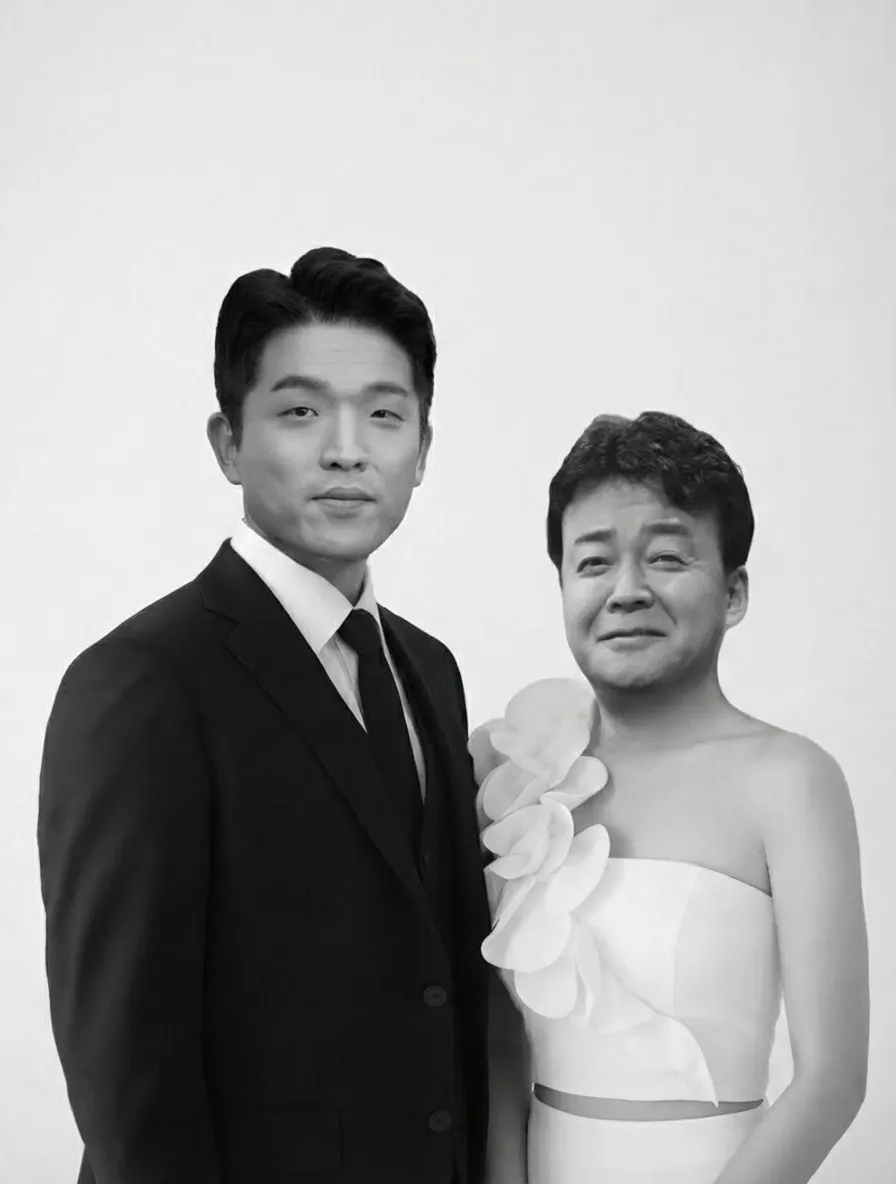
베이스 이미지 15장 압축파일과 남녀 얼굴 사진으로 웨딩스냅을 합성하는 프롬프트예요. 나노바나나 2, GPT 2 이미지 모델 기준 업로드 순서를 안내해요.
무드모드 카톡방 오픈! AI 소식과 프롬프트를 가장 빠르게 받아보세요.👉 무드모드 AI 라운지 입장하기
▼ 베이스 이미지 15장 다운로드 받으세요!▼
웨딩스냅_베이스이미지.zip30.4MB내려받기나노바나나 2, GPT 2 이미지 모델 추천!
나노바나나를 사용할 수 있는 곳은 어디든 상관없어요!
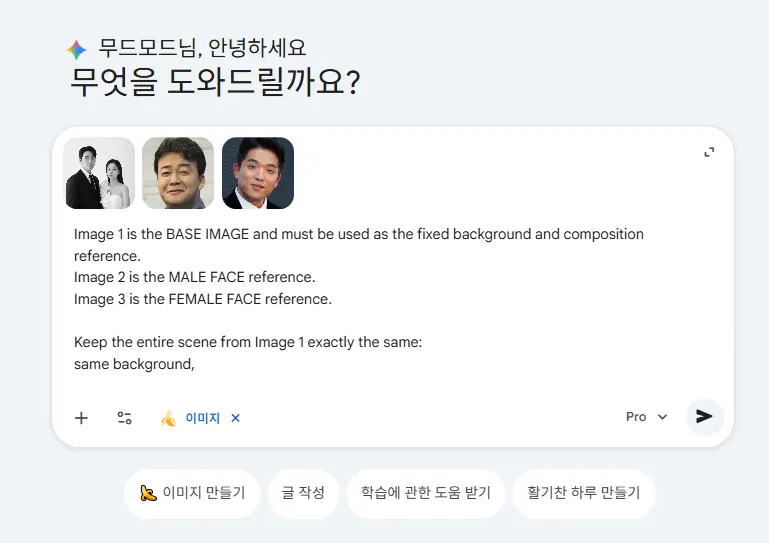
베이스 모델 이미지(1), 남자(2), 여자(3) 순서대로 업로드해야 합니다.
단순 재미용도로 즐겨주세요.
https://gemini.google.com/로 접속합니다.
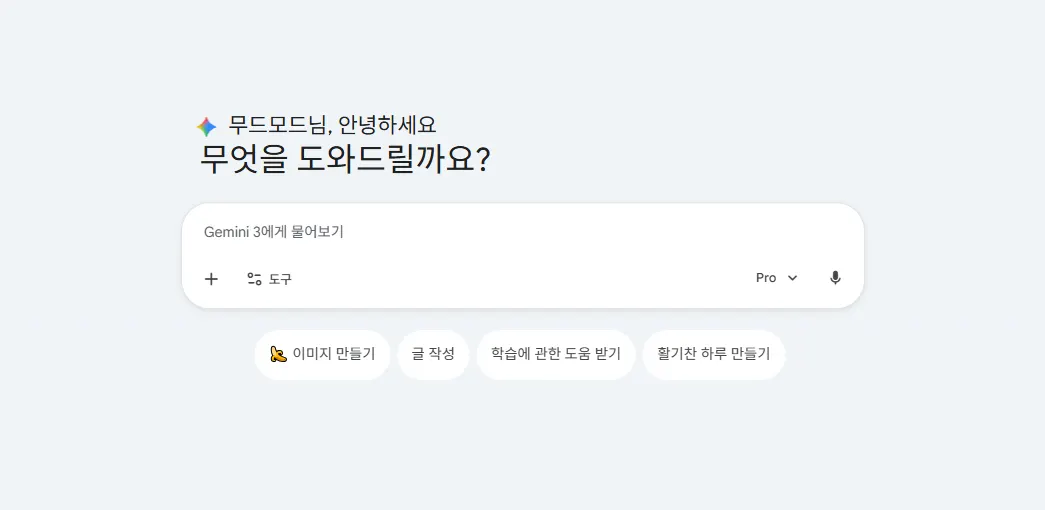
‘이미지 만들기’를 클릭합니다.
아래 프롬프트를 그대로 복사해서 넣습니다(우측 복사하기 버튼 누르면 편해요!)
You are performing a precise, identity-preserving FACE REPLACEMENT on a wedding photo.

INPUT IMAGES (uploaded in this exact order):
- Image 1 = BASE IMAGE. This is the fixed scene. Use it as the absolute reference for background, composition, lighting, and both bodies.
- Image 2 = MALE FACE reference. Identity source for the male subject.
- Image 3 = FEMALE FACE reference. Identity source for the female subject.

PRIMARY TASK:
Replace ONLY the two faces in Image 1.
- Transfer the facial identity from Image 2 onto the MALE subject in Image 1.
- Transfer the facial identity from Image 3 onto the FEMALE subject in Image 1.
Everything else in Image 1 must remain 100% unchanged.

KEEP EXACTLY IDENTICAL TO IMAGE 1 (do not modify in any way):
- Background and environment
- Lighting direction, color temperature, shadows, and highlights
- Camera angle, lens perspective, depth of field, and framing
- Each subject's body pose, posture, and hand positions
- Clothing, accessories, jewelry, and hair (style, length, direction, volume, color)
- Each subject's head angle, tilt, and gaze direction
- Each subject's original facial expression (smile, eyes open/closed, mouth shape)
- Original face size, position, and facial proportions within the frame

FACE REPLACEMENT RULES:
- Preserve the true identity of each reference face: bone structure, eye shape, nose shape, lip shape, jawline, eyebrows, and overall likeness must clearly match the reference person.
- Adapt the reference face to the head angle and expression already present in Image 1. Do not copy the head angle or expression from the reference images; only borrow the identity.
- Blend skin tone, texture, and color so the new face matches the neck, ears, and body of the same subject in Image 1.
- Match the lighting, shadows, and highlights on the new face to the existing light in Image 1 so it looks naturally lit by the same source.
- Keep skin realistic: natural pores and texture, no plastic or over-smoothed look.

STRICT CONSTRAINTS (do NOT do any of these):
- Do NOT change the environment, body, pose, clothing, hair, or composition.
- Do NOT apply any beauty filter, face slimming, skin whitening, or age change.
- Do NOT enlarge eyes, sharpen the jaw, or alter facial proportions for "prettiness".
- Do NOT swap the two identities. Male reference goes to the male subject; female reference goes to the female subject.
- Do NOT add makeup, expressions, or details that are not consistent with Image 1.

OUTPUT:
A single ultra-realistic photograph, indistinguishable from a real professional wedding photoshoot, in the same resolution and aspect ratio as Image 1. The two people must look like the individuals from Image 2 and Image 3, naturally placed into the original wedding scene.
베이스 이미지, 남자, 여자 순서대로 이미지를 업로드합니다.
기다리면 결과물이 바로 나옵니다.